

Members and roles
Membership carries a role — owner > admin > member > viewer. Owners and admins manage members and settings, and a workspace always keeps at least one owner, so the last owner can’t be demoted or removed. Creating a workspace makes you its owner, and anyone can leave a workspace they’re in. Integrations and workspace Settings are owner/admin-only. A plain member doesn’t get those nav entries, and a deep link bounces them to the workspace Overview — configuring repos, keys, features, and members isn’t a member’s job in a workspace someone else runs. Members keep the read-only surfaces: Overview, Reviews, and Agent · Fixes.Joining is the invitee’s explicit act
An owner or admin invites by the email of an existing account. That creates a pending invite, not a membership — the invitee gets a notification with Accept / Decline in the bell, and only accepting puts them in the workspace. Until then they see nothing of it. Pending people appear on the Members roster marked Invited. There’s no role select on a pending invite — re-invite to change the offered role — and the remove button revokes it. Inviting someone who is already a member is an error, not a role change.Repositories
A connection is a forge installation — a GitHub App install on an org or user account, or a Forgejo instance you connected. Codaban mirrors installs into its registry from webhooks, so installing or uninstalling the App and adding or removing repos keeps things in sync. That mirroring is observational: populating the registry does not by itself change what gets reviewed.Connected isn’t the same as assigned. I can see the repo. I still won’t read
it until it belongs to a workspace.
Assign repositories from Integrations, a top-level page with two levels:
- Forge accounts — the GitHub and Forgejo connections you can see.
- Repositories — the repos assigned to the active workspace, each with an inline Smoke/Deep mode and Active toggle.
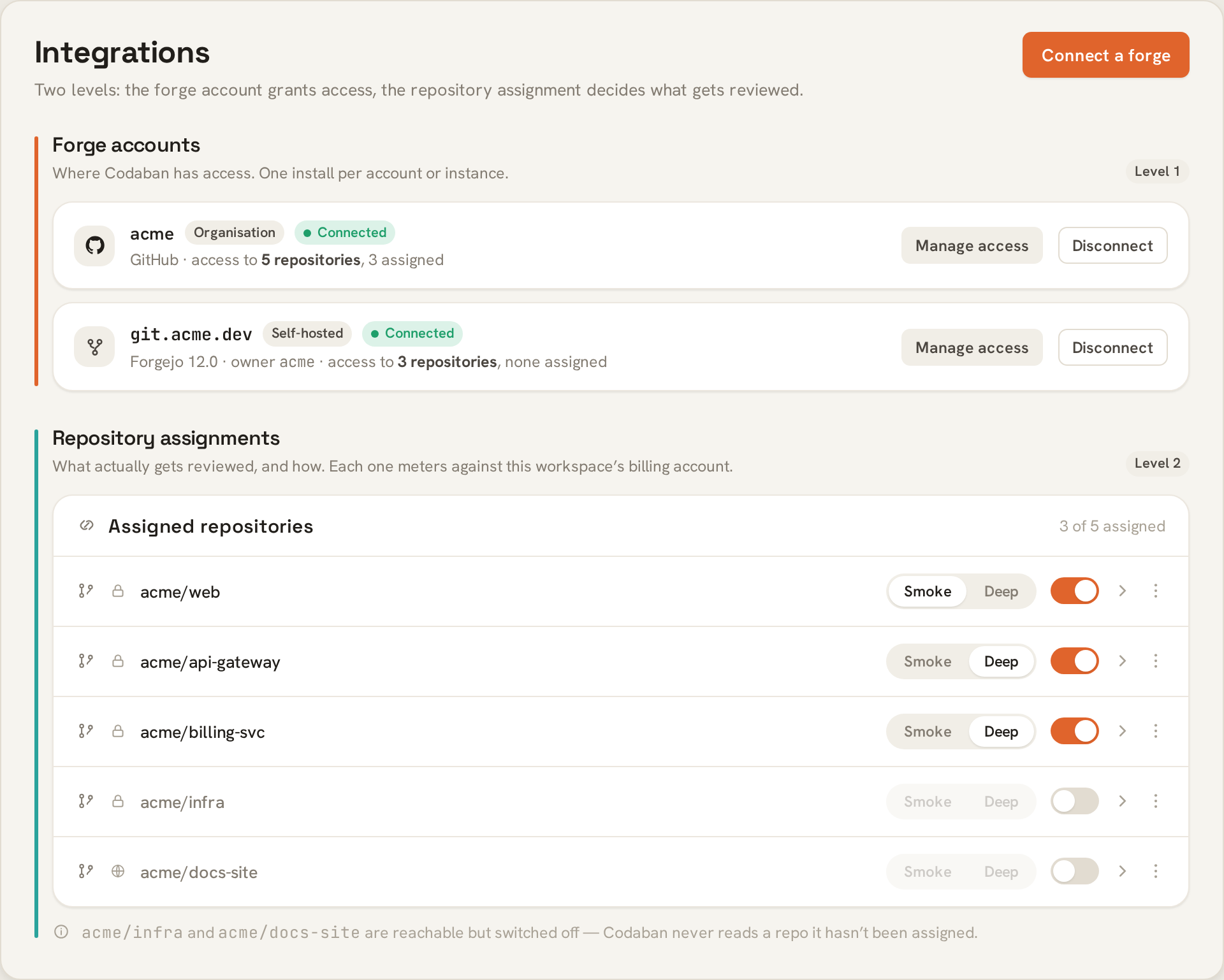
Both levels: forge accounts grant access, assignments decide what gets reviewed.
Transferring a repository
A repository belongs to exactly one workspace — the one billed for its reviews. Transferring reassigns it. The source owner or admin starts it, from the repo’s kebab menu → Transfer to another workspace. If they also own or administer the destination, the move is immediate. Otherwise it becomes a pending request, and billing only moves once a destination owner or admin approves. There is exactly one open transfer per repository at a time.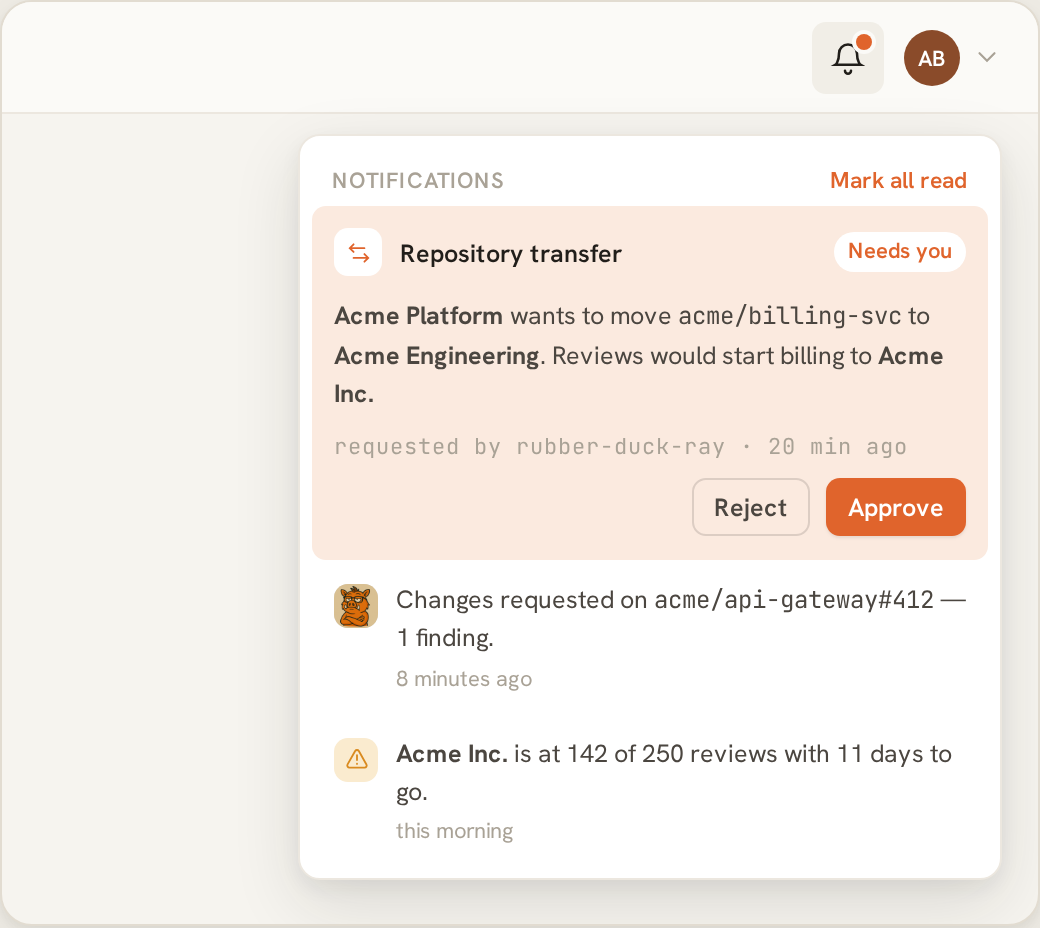
A pending transfer waits in the bell until a destination admin agrees.
Past review and agent costs stay with the old workspace — only future reviews
bill the new one.
Notifications
A per-user notification feed drives the bell in the control panel’s top bar. Today repository transfers are what emit:- A pending transfer notifies the destination’s owners and admins, and the bell row carries inline Approve / Reject buttons.
- Approving or rejecting notifies the requester.
- An immediate move — where the requester already owns the destination — emits nothing.
Feature toggles
Each workspace controls which Codaban engines it uses. Smoke review is always on. Deep review, plan → implement, iterate, and a couple of lighter behaviours are toggles with sensible defaults, changed by owners and admins under Settings → Features. A feature only runs when its toggle is on and the workspace’s billing account is funded — no billing means no features, applied to every engine, not just smoke. A deep-review or agent request for a workspace whose feature is off, or that has no funding, is dropped. A deep review command gets a 😕 reaction so you know it didn’t run.Accounts and sign-in
- Local accounts — email and password.
- Two-factor (TOTP) — opt-in per user. Once enabled, login requires a code from an authenticator app.
- Sign in with GitHub — opt-in. Linking it lets you disable local password login. See GitHub setup.
Registration is invite-only during the closed beta. There is no open
sign-up: an admin issues an invite for an email address, and the invitee
accepts it to create their account.
Secure, SameSite=Lax cookie carrying an opaque token, and the server stores
only its hash. Because sessions are server-side they are revocable — you can
log out a single session or all of them, and an administrator’s revocation takes
effect immediately.