

Install it
From the control panel, Connect GitHub sends you to GitHub’s install screen. Choose the account or organisation, then pick the repositories Codaban may access.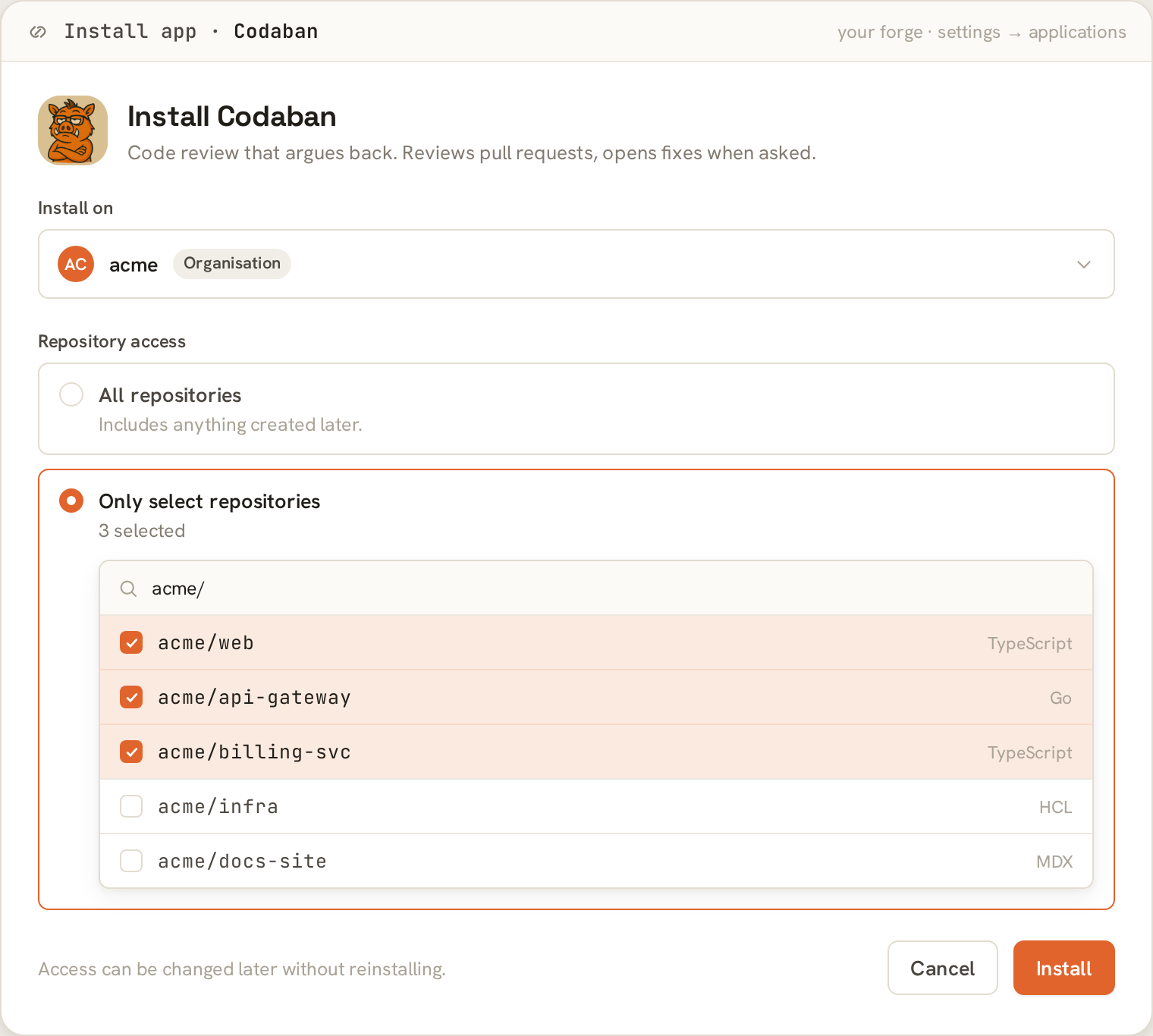
The install screen, repository selector open.
Nothing is reviewed yet. Installing the App only grants access. A
repository starts costing units when you assign it to a workspace — that’s
what the picker does.
What Codaban asks for
It subscribes to pull request, pull request review, pull request review comment,
issues, and issue comment events.
I ask for write on contents because the Agent pushes branches. If you only
want reviews, that’s the permission to think hardest about.
Without the commit-statuses permission everything still works — comments and
reviews land as normal — the check just never appears on GitHub.
Requiring Codaban’s review to merge
Thecodaban/review commit status can be made a required status check, so a
pull request can’t merge until Codaban has reviewed it and is satisfied.
Settings → Branches → Branch protection rules → Require status checks to pass
before merging, then select codaban/review.
The check only appears in that list once it has run on the repository at least
once, so open a pull request and let Codaban review it before adding the rule.
See Making it blocking for what this changes in
practice, and why it’s worth deciding on purpose.
Signing in with GitHub
The control panel can authenticate you with GitHub instead of an invite and password. Click Continue with GitHub, approve the consent screen, and you’re signed in. Codaban reads your verified primary email to link a GitHub login to an existing local account. An unverified email never links.Codaban is in closed beta, so self-serve GitHub sign-up is limited to an
allowlist. If you have an invite, open its link and click Register with
GitHub — the invite is the authority, so any GitHub account you sign in with
is linked to the invited email.You can also set a password on that page and connect GitHub later from account
settings.
Verifying it works
1
Open an issue
In an installed, assigned repository. Codaban’s labels appear on the repo
within seconds — this exercises the full token path.
2
Open a pull request
Comment
@codaban review and the first review lands.What Codaban can do on GitHub
Everything: smoke and deep reviews via commands, finding-thread conversations, and the full agentic workflow — plan, implement, iterate. The runner clones and pushes with short-lived installation tokens, and Codaban’s commits are attributed to the App bot.Codaban never stores long-lived GitHub tokens. Per request it resolves the
repository’s installation and mints a short-lived installation access token.